
C64 Shelter
Shelter game data
Commodore 64 game name: Shelter | Release date:
2026 |
Publisher: Blazon |
Game media type: crt |
Language: en
User rating of this C64 game (you can also rate it under the C64 emulator):
About Commodore 64 Shelter
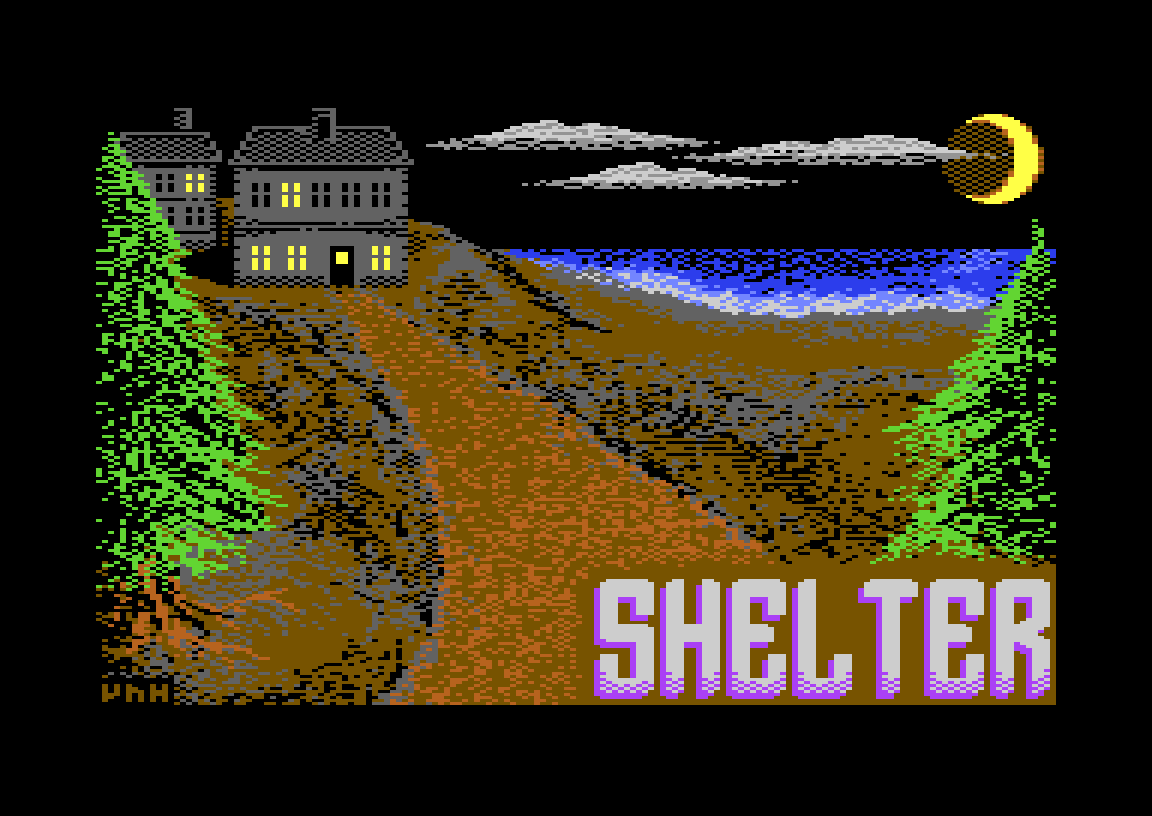
Shelter is a short, H.P. Lovecraft-inspired multiple-choice text adventure for the Commodore 64 by RS-232 of the German group Blazon, with a loading screen by Vandahlia. It was released on 28 October 2026 and entered in the C64 game competition at the Zoo 2026 party in Finland. A storm drives you into a sinister pub in a remote fishing village, and you pick numbered options instead of typing commands, while the game keeps track of how drunk and how sane you are. You can play it free in your browser on this page.
Quick facts
- Genre: text adventure / interactive fiction (multiple choice), horror
- Developer: RS-232 (Blazon): idea, code, in-game music
- Graphics: Vandahlia (Blazon, Hokuto Force): loading screen and loading music
- Released: 28 October 2026, Zoo 2026 party (C64 game compo), free
- Players: 1
- Controls: keyboard only (number keys + RETURN)
- Format: EasyFlash cartridge (CRT). Also released as a D64 and a standard CRT.
About the game
The full title on the game’s banner is Shelter: A Short Lovecraftian Escapade. You set out on a day trip to a remote fishing village. The weather turns, the last miles run along a single-track path slick with rain, and by the time you reach the cove the only light comes from the pub your guide book mentioned as having rooms. So you push open the heavy oak door and step inside.
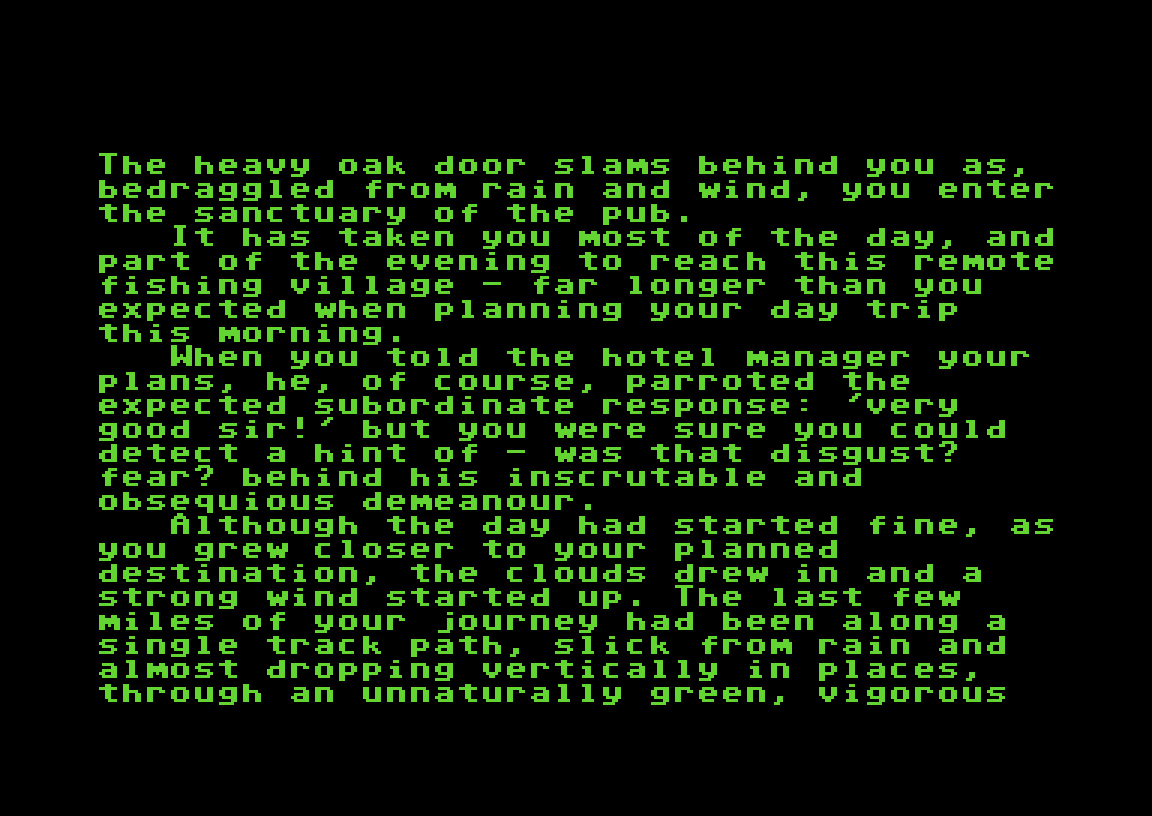
The Village Pub is cosy but “vaguely sinister”. Two rugged men in smocks smoke by the window, an old woman mutters to herself at a table in the corner, a fire burns in the hearth, and the landlord, a man in his seventies with “a strangely fish-like appearance”, watches you with suspicion. Anyone who has read Lovecraft’s The Shadow over Innsmouth will recognise the mood straight away. From here you decide whom to talk to, what to drink and when to head up to your room, and the story moves on from there.
How to play
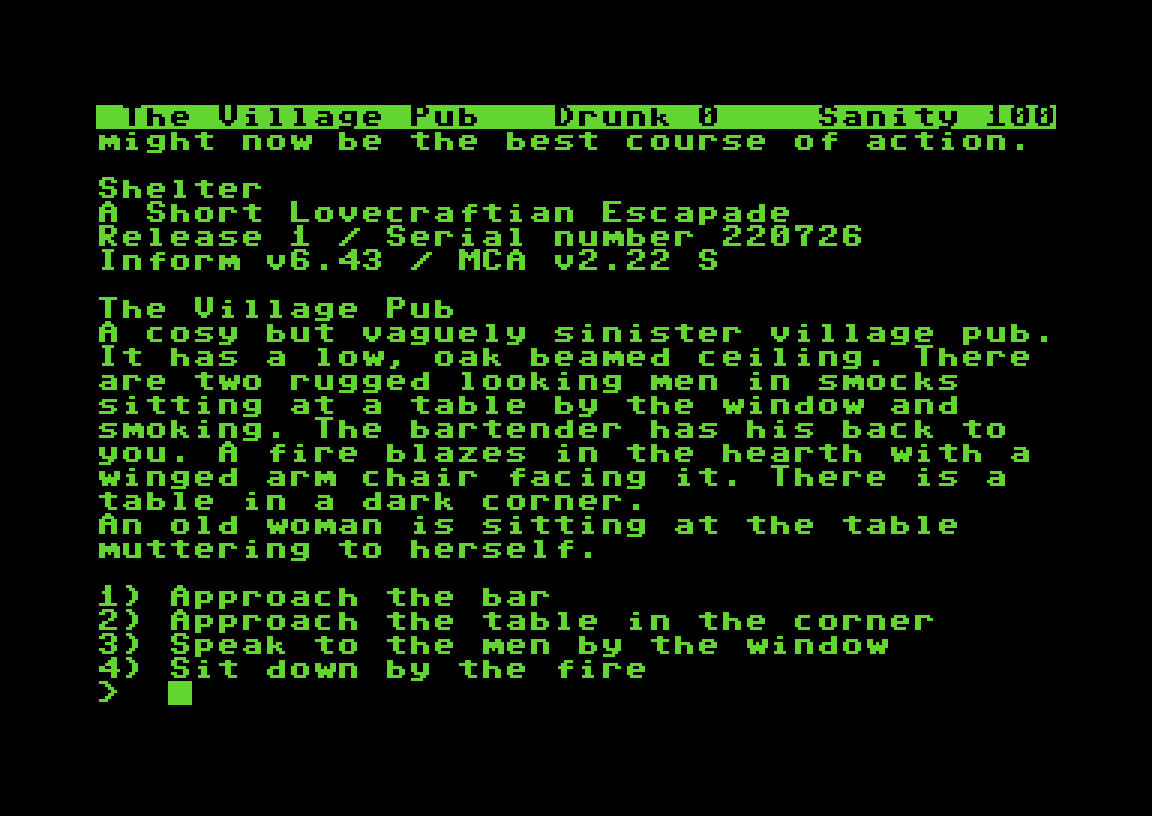
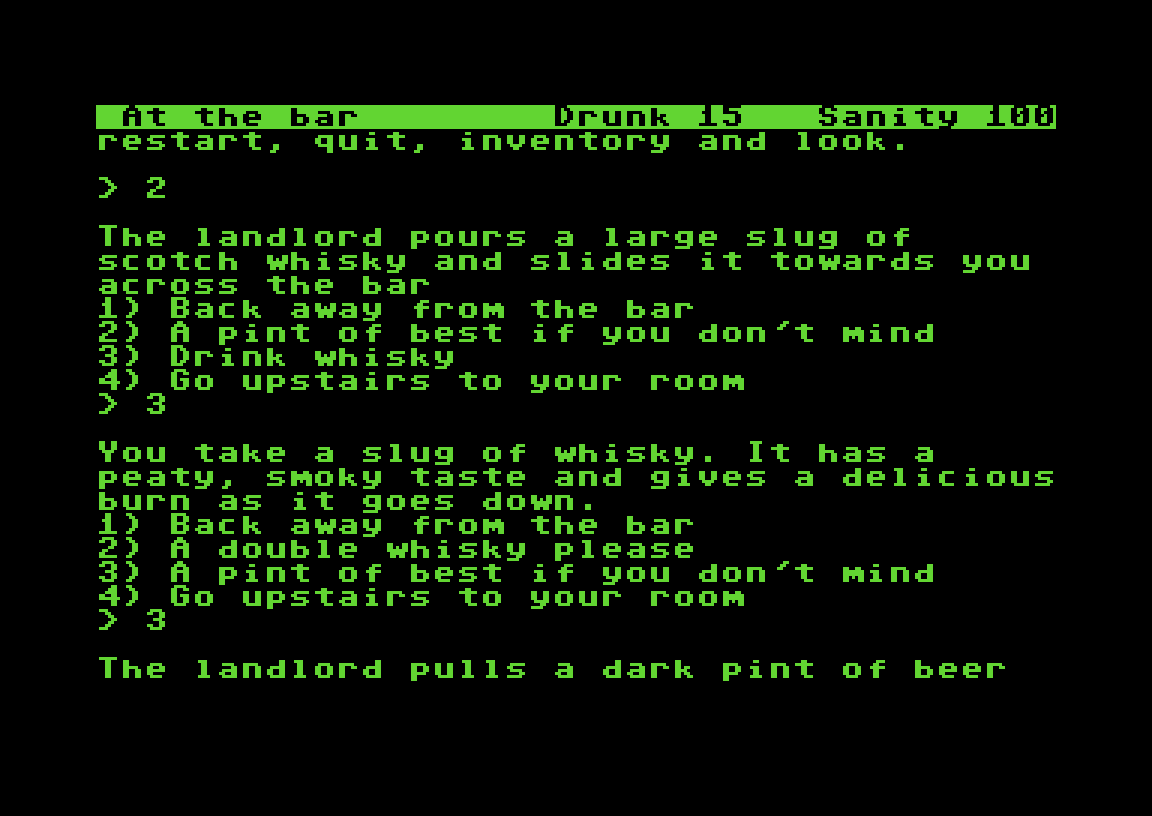
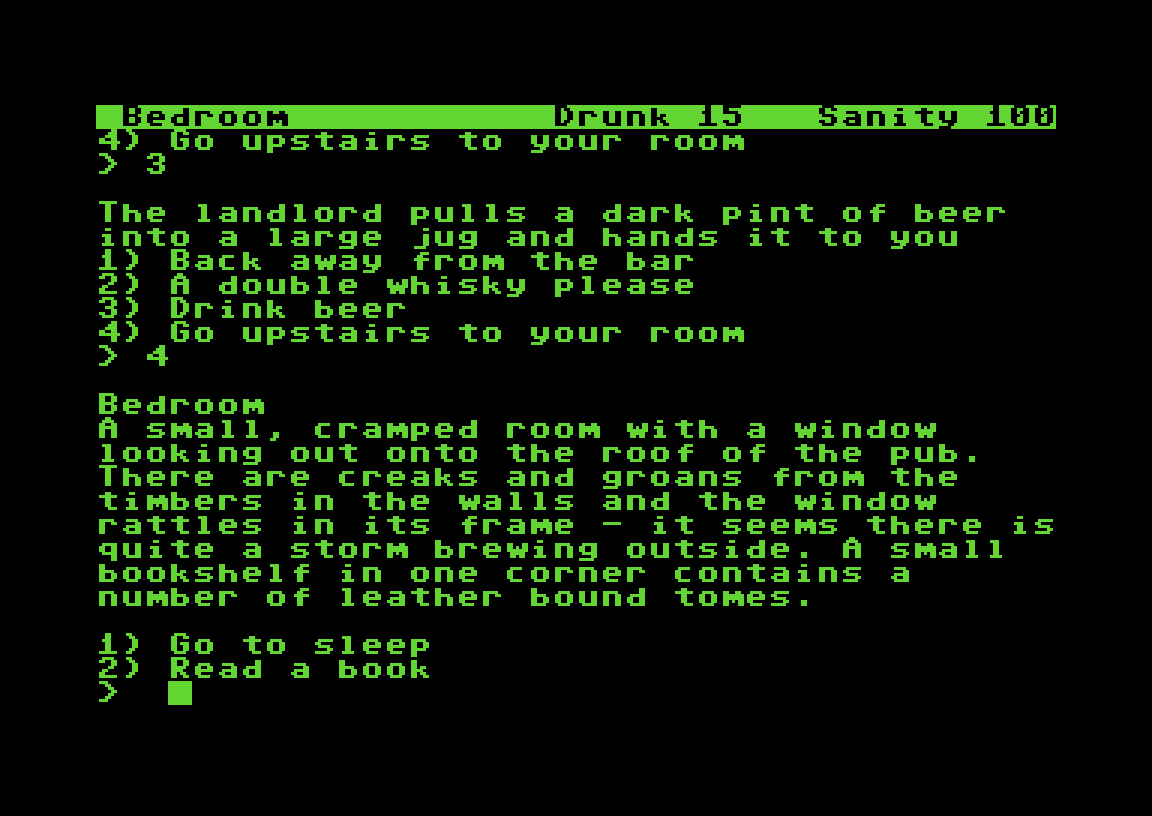
Shelter is a multiple-choice adventure, so there is no parser to fight with. Every scene ends with a numbered list of options. Type the number and press RETURN. The options change as the story moves on: once you have asked about a room, the landlord’s menu offers “Go upstairs to your room”, and once you have ordered a whisky, you get “Drink whisky”.
A status line at the top of the screen shows three things:
- Location: where you are (The Village Pub, At the bar, Bedroom …)
- Drunk: starts at 0 and rises as you drink. A whisky in our test took it to 15.
- Sanity: starts at 100. In a Lovecraftian story, guard it.
Besides the numbers, the game understands a few typed commands:
| Command | What it does |
|---|---|
1, 2, 3 … |
Choose that option |
repeat (or options) |
Show the current options again |
look |
Describe the location again |
inventory |
List what you are carrying |
save / restore |
Save or load your position |
restart / quit |
Start again or stop |
When the text fills the screen, the game waits for a key before scrolling on. Press SPACE.
Tips
- Read everything. In a text adventure the descriptions are the graphics. The details about the landlord, the locals and the books in your room are there for a reason.
- Watch the status line. Drinking and what you read or see change your Drunk and Sanity values, so check them after each choice.
- Save before big decisions. Type
savebefore you go upstairs or try something risky. In the browser emulator, a save only lasts as long as the page is open. - Explore the pub first. Talk to the bar, the locals and the old woman before you go to bed. New options appear as you learn more.
- Type the number, then RETURN. If the game answers with its help text (“You can choose one of the options …”), it didn’t get a valid number. Just type it again.
Technical notes
RS-232 wrote Shelter in Inform 6, the classic interactive-fiction language, using the mca.h multiple-choice library (the banner says “Inform v6.43 / MCA v2.22 S”). The finished story file was turned into a C64 game with Ozmoo, the Z-machine interpreter for the Commodore 64 by Johan Berntsson and Fredrik Ramsberg. This is the same tool chain that brought many modern interactive-fiction games to the C64.
The version on this page is the EasyFlash cartridge build. It was made with Alex’s Disk2EasyFlash, which you see for a moment at start-up (“SHELTER6 by Alex’s Disk2EasyFlash”). After a few seconds the loading screen appears, and then the story starts. Everything loads from the cartridge, so there is no disk swapping and no waiting for the drive. RS-232 also composed the in-game music. Vandahlia’s loading screen also comes with music on the CRT version.
Shelter at Zoo 2026
Shelter was one of the entries in the C64 game competition at Zoo 2026 (25 October to 1 November 2026, Orivesi, Finland). Several other games from the same compo are also playable here: the action platformer Domain 83, the nuclear strategy party game Nuclear Party and the EasyFlash brawler Awesome SlamSibs Infinite. Shelter is the only text adventure among them.
Blazon is a German C64 group founded in 1995 that also releases demos, cracks and many small games. In 2026 alone they put out Blazteroids, Nibbit, Spider Maze 2 and the GNW64 Game & Watch emulator.
FAQ
Can I play Shelter online?
Yes. Press START on this page to run the EasyFlash version in the browser C64 emulator. Choose options by typing a number on your keyboard and pressing RETURN.
Who made Shelter?
RS-232 of the German group Blazon came up with the idea, wrote the game and composed the in-game music. Vandahlia (Blazon, Hokuto Force) drew the loading screen and made its music for the CRT version. It was released on 28 October 2026 for the Zoo 2026 party.
What kind of game is Shelter?
A short, H.P. Lovecraft-inspired horror text adventure. Instead of typing commands you pick numbered options, while the game tracks how drunk you are and how much sanity you have left.
Do I need a joystick for Shelter?
No. Shelter is played entirely with the keyboard: the number keys, RETURN, and SPACE to scroll long texts.
How was Shelter made?
It was written in Inform 6 with the mca.h multiple-choice library and converted to the Commodore 64 with the Ozmoo interpreter.
Is Shelter free?
Yes. Blazon released it for free on CSDb as a D64 disk image, a CRT and an EasyFlash CRT.
Credits & download
Idea, code, in-game music: RS-232 (Blazon)
Loading screen, loading music (CRT version): Vandahlia (Blazon, Hokuto Force)
Released: 28 October 2026, Zoo 2026 party
Release info & downloads: Shelter on CSDb
More from the same group: Blazon games. More from the same year: 2026 C64 games.
In order to play Shelter online, click on the start button located below the Commodore 64 emulator window.
This file type doesn't support auto Joystick port detection. Please choose 'Joystick Swap Ports' if needed.
Shelter C64 keyboard mapping
When you start a game, each joystick port is automatically turned on. Sometimes this causes a problem as the joystick port is mapped to the keys below. If a game uses these keys, you need to turn off the joystick ports.
C64 emulator joystick - keyboard mappings| DIRECTION | JOYSTICK 1 | JOYSTICK 2 |
|---|---|---|
| LEFT | A | CURSOR LEFT |
| RIGHT | D | CURSOR RIGHT |
| UP | W | CURSOR UP |
| DOWN | S | CURSOR DOWN |
| FIRE | LEFT / RIGHT CTRL | LEFT / RIGHT SHIFT |