
C64 Nuclear Party
Play 'Nuclear Party' on C64 online.
Nuclear Party game data
Commodore 64 game name: Nuclear Party | Release date:
2026 |
Publisher: Vector5 Games |
Game media type: prg |
Language: en
User rating of this C64 game (you can also rate it under the C64 emulator):
About Commodore 64 Nuclear Party
Nuclear Party is a 2026 turn-based nuclear war strategy game for the Commodore 64 by Vector5 Games (Jani Parviainen), with music by Jaroslaw Burkacki (Ozone). You lead one country against four computer-controlled world leaders. You build missiles and bombers, arm them with warheads, raise radar defences and lure away rival populations with propaganda. There can be only one survivor. It was Vector5 Games’ entry in the ZOO Party 2026 game development competition, and you can play it in your browser on this page.
Quick facts
- Genre: turn-based strategy (nuclear war, satire)
- Developer: Vector5 Games: Jani Parviainen (code, graphics, sound effects)
- Music: Jaroslaw Burkacki (Ozone), “Power Wars”
- Released: 26 October 2026, ZOO Party 2026 game dev compo, free (name your own price)
- Players: 1 player against 4 computer opponents
- Controls: joystick in port 2 or a 1351 mouse in port 1 (F1 on the title screen switches)
- Format: PRG (also released as a D64). Runs on PAL and NTSC machines.
How to start a game
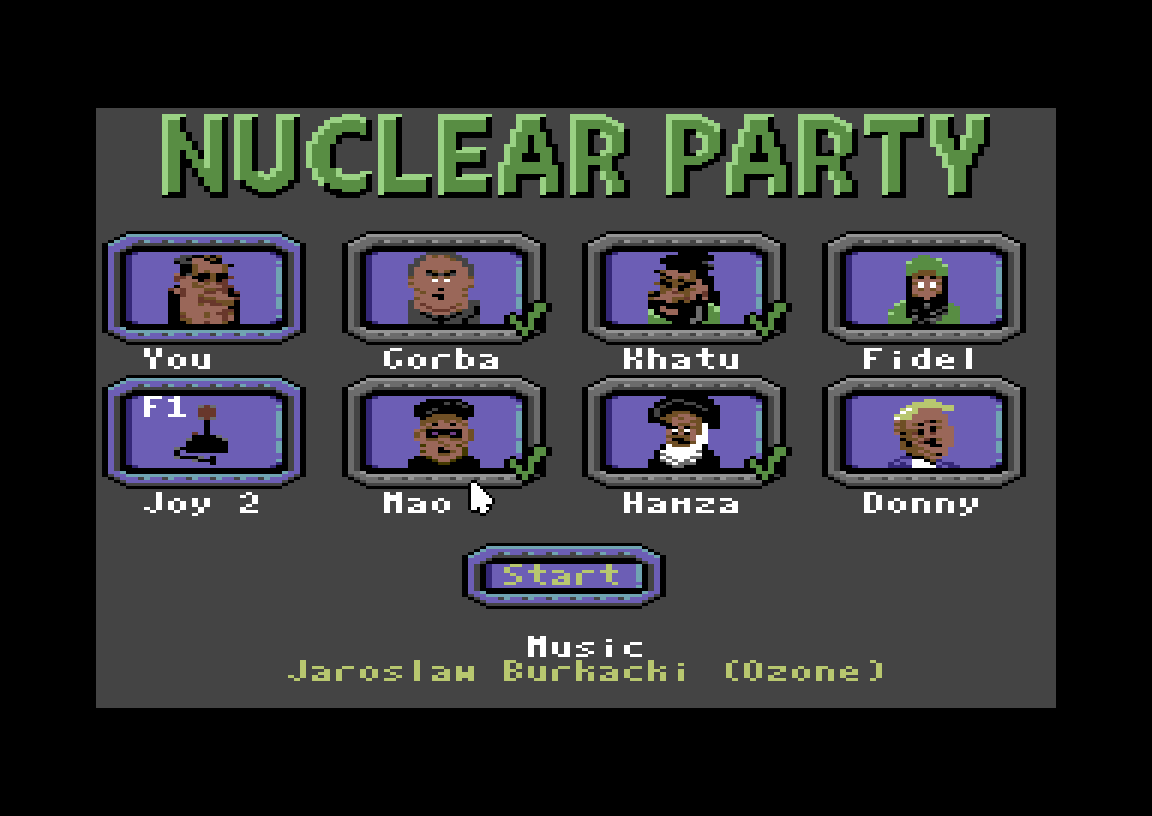
The title screen shows your own portrait (“You”) and six world leaders: Gorba, Khatu, Fidel, Mao, Hamza and Donny. Move the pointer onto four of them and press fire to tick them as your opponents. The Start button only works once four leaders are ticked. The “Joy 2” box shows the current control method, and F1 switches between joystick and mouse.
How to play
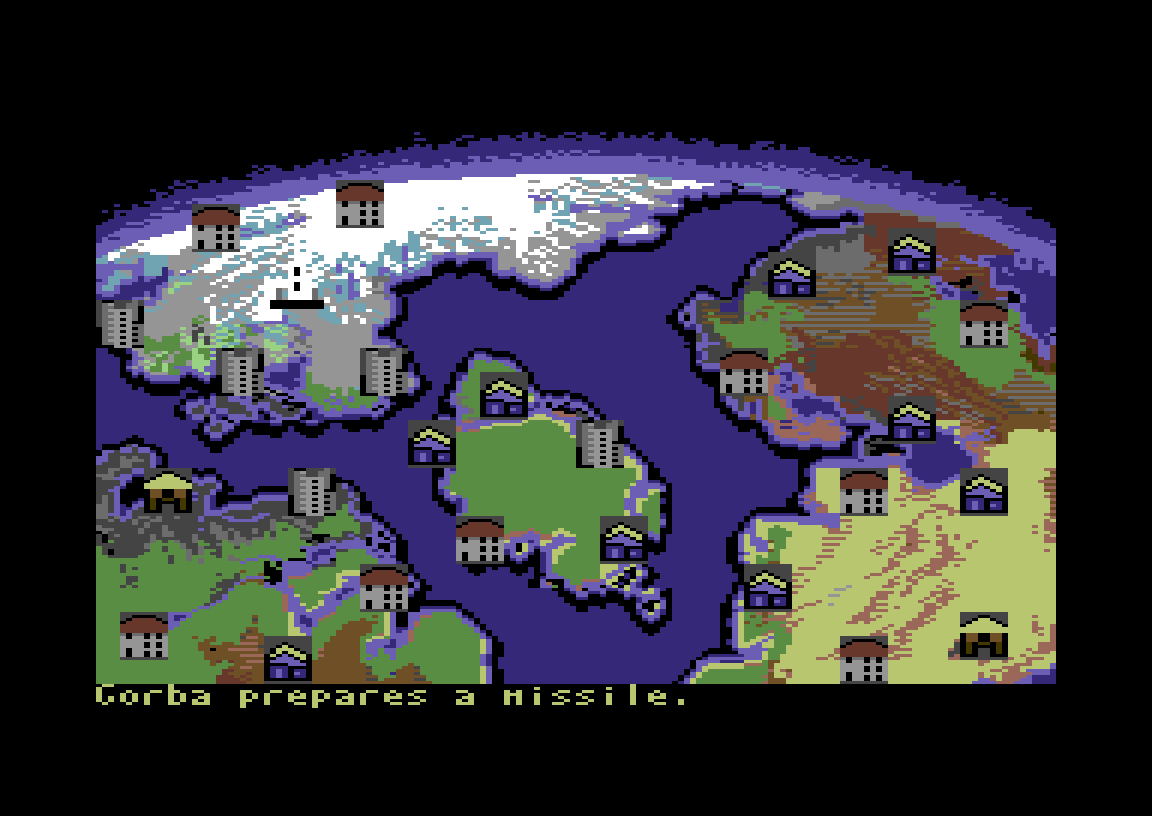
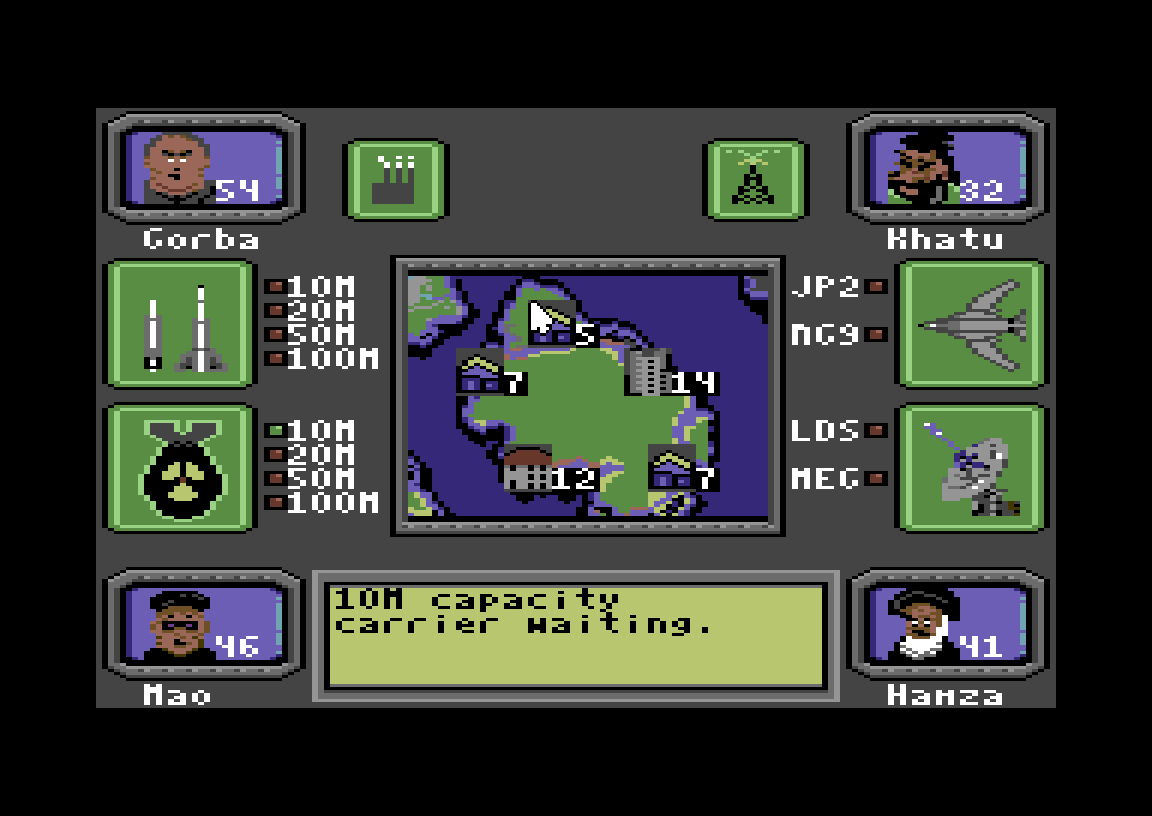
Each round you can take several actions from the Command Center, then press End turn. The game then switches to a world map and shows what the computer leaders do: who prepares a missile, who launches, and how many people defect. The number on each leader’s portrait shows how many people (in millions) are left in that country. The last country standing wins.
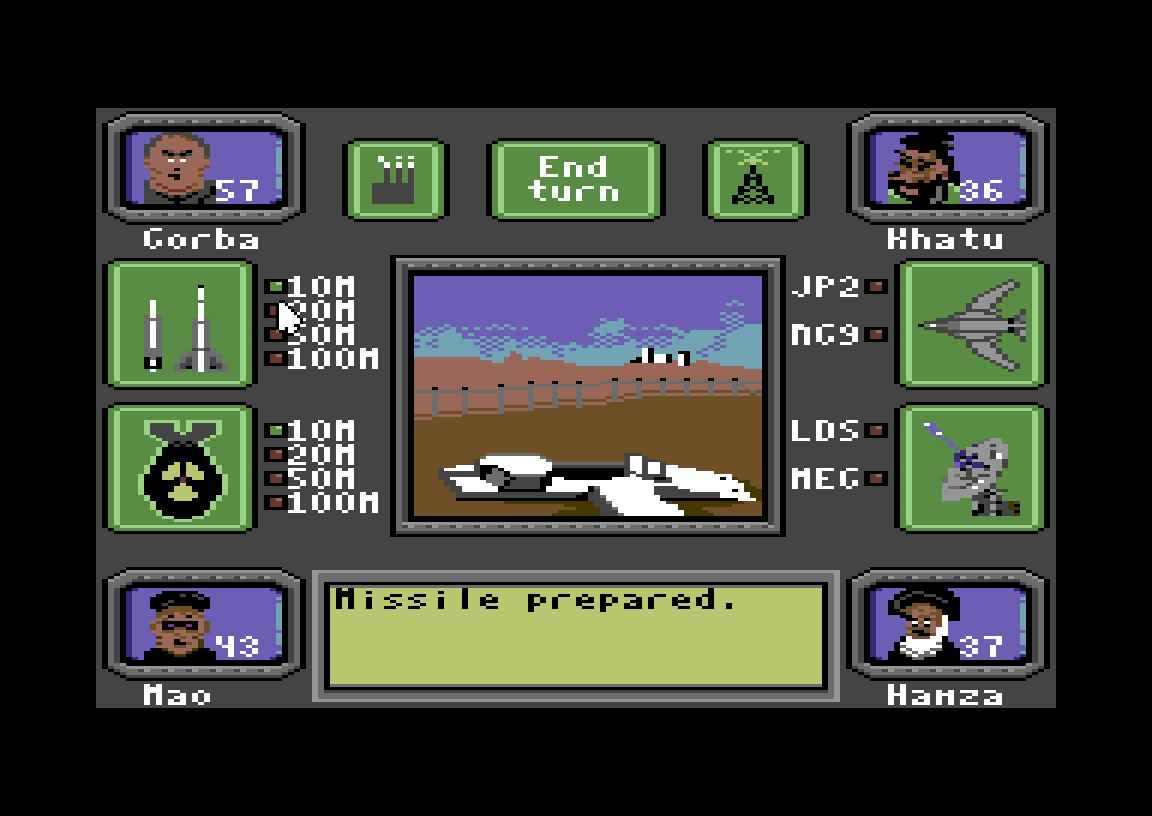
Weapons work in two steps. In the first round you prepare a carrier, a missile or a bomber. In the next round you assign a warhead to it. Each carrier has a capacity, and the warhead must not be bigger than that.
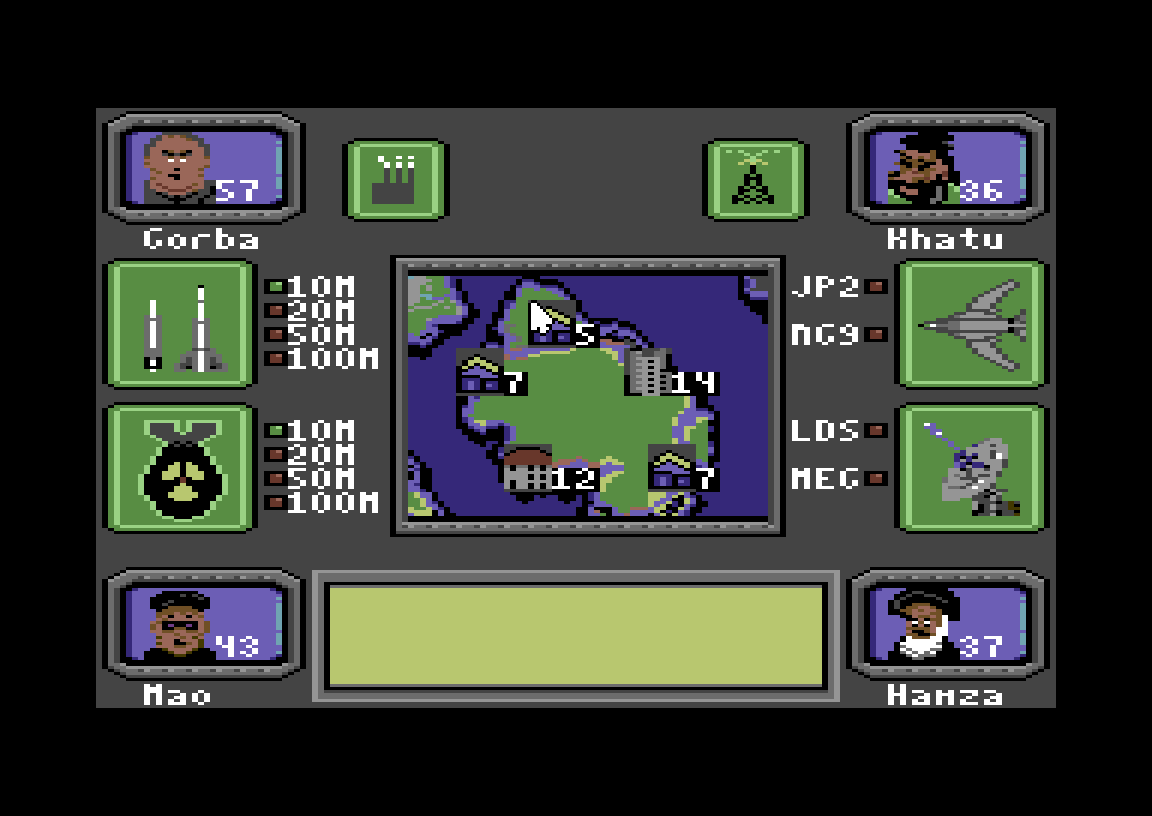
The Command Center
| Icon | What it does |
|---|---|
| Factory | Builds some random goodies for you. |
| Propaganda | Lures people from another country into yours. Select the target leader. |
| Missile | Carries a warhead. Capacity 10M, 20M, 50M or 100M. Prepare it in one round, arm it in the next. |
| Warhead | 10M, 20M, 50M or 100M. Assign it to a missile or a bomber. |
| Bomber | JP2 carries warheads up to 20M, NG9 up to 100M. |
| Radar | LDS repels warheads up to 20M, MEG up to 100M. |
| Centre view | Shows your country, and is where you pick a target. |
| Message view | Guidance messages, such as “Carrier waiting!”. |
| Opponent portraits | Select one as the target of a warhead or propaganda. |
Tips & strategy
- Prepare a carrier early. A warhead is useless until a missile or bomber is ready, and preparing one takes a whole round.
- Check your stock before arming. If you try to load a warhead you don’t own, the game answers “You don’t have that in stock!”. The Factory builds random goodies, so use it to restock.
- Match warhead to carrier. A 10M missile can’t carry a 50M warhead. For a 100M warhead you need a 100M missile or the NG9 bomber.
- Radar protects you. MEG radar can repel anything up to 100M, so get one before the big warheads start flying.
- Propaganda wins without bombs. Luring people away shrinks a rival’s population and grows yours.
Mouse support
On a real C64, plug an original Commodore 1351 mouse (or a USB mouse with an adapter) into port 1. On TheC64 Maxi you need firmware 1.6.1 or newer, then a regular USB mouse works. In VICE, set Control Port #1 to “Mouse (1351)” and turn on Mouse grab. In the browser emulator on this page, use the joystick: cursor keys to move the pointer and Ctrl to click.
History
Vector5 Games is Jani Parviainen’s label. Its itch.io catalogue includes the Santa’s Workout series, the Zookeeper games and Drip. Nuclear Party was made for the game dev competition at ZOO Party 2026 and released on 26 October 2026, along with a manual. The darkly comic premise, with caricatured world leaders trading warheads and stealing each other’s people, recalls New World Computing’s Nuclear War (1989). Older C64 takes on the theme include Nukewar and Theatre Europe.
FAQ
Can I play Nuclear Party online?
Yes. Press START on this page to run it in the browser C64 emulator. Move the pointer with the cursor keys and click with Ctrl.
Why doesn’t the Start button work?
You need to pick your opponents first. Click four of the six leader portraits so each gets a tick, then click Start.
Who made Nuclear Party?
Jani Parviainen of Vector5 Games wrote the code, graphics and sound effects, and Jaroslaw Burkacki (Ozone) made the music. Mika Penttinen and Ville Jokela tested the game.
How many players does Nuclear Party support?
One. You play against four computer-controlled leaders.
Can I play Nuclear Party with a mouse?
Yes, on a real C64, TheC64 Maxi or VICE: use a 1351-compatible mouse in port 1 and press F1 on the title screen to switch from joystick to mouse.
Why can’t I launch in the first round?
A carrier (missile or bomber) has to be prepared in one round before you can assign a warhead to it in the next.
Credits & download
Programming, graphics and sounds: Jani Parviainen
Music: Jaroslaw Burkacki (Ozone)
Game testing: Mika Penttinen, Ville Jokela
Released: Vector5 Games, ZOO Party 2026, 26 October 2026
Manual: Download the original Nuclear Party manual (PDF)
Official page: Nuclear Party on itch.io
Release info: Nuclear Party on CSDb
More strategy on the site: Dominion. More from the same year: 2026 C64 games.
In order to play Nuclear Party online, click on the start button located below the Commodore 64 emulator window.
This file type doesn't support auto Joystick port detection. Please choose 'Joystick Swap Ports' if needed.
Nuclear Party C64 keyboard mapping
When you start a game, each joystick port is automatically turned on. Sometimes this causes a problem as the joystick port is mapped to the keys below. If a game uses these keys, you need to turn off the joystick ports.
C64 emulator joystick - keyboard mappings| DIRECTION | JOYSTICK 1 | JOYSTICK 2 |
|---|---|---|
| LEFT | A | CURSOR LEFT |
| RIGHT | D | CURSOR RIGHT |
| UP | W | CURSOR UP |
| DOWN | S | CURSOR DOWN |
| FIRE | LEFT / RIGHT CTRL | LEFT / RIGHT SHIFT |